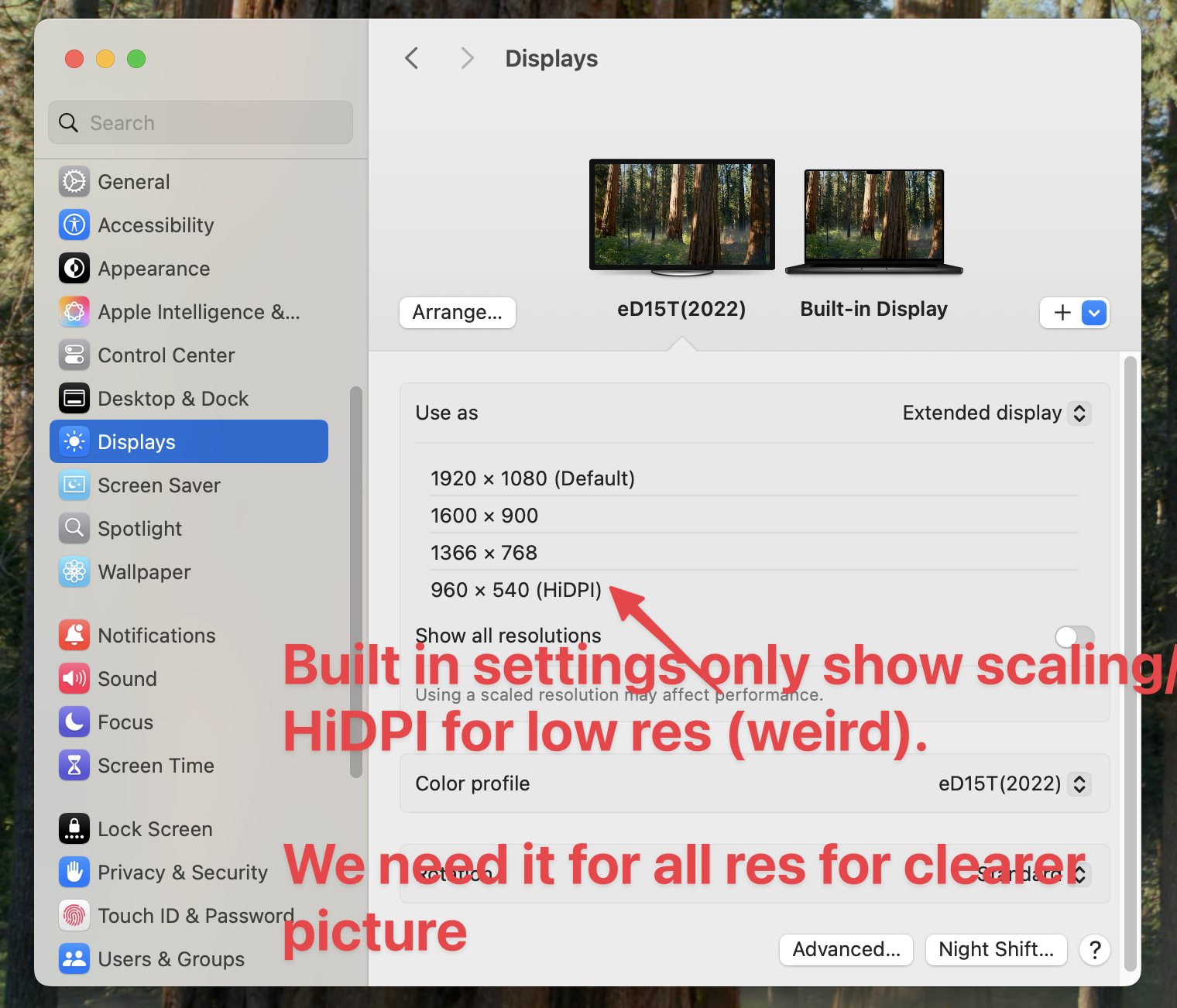
How I enabled scaling on my espresso display. MacOS settings doesn’t list the HiDPI/scaling enabled resolutions for some reason but it’s actually supported (screenshot 1). Here’s how!
- Open your terminal and install displaypacer:
brew install displayplacer(you’ll need homebrew installed on your mac) - Run
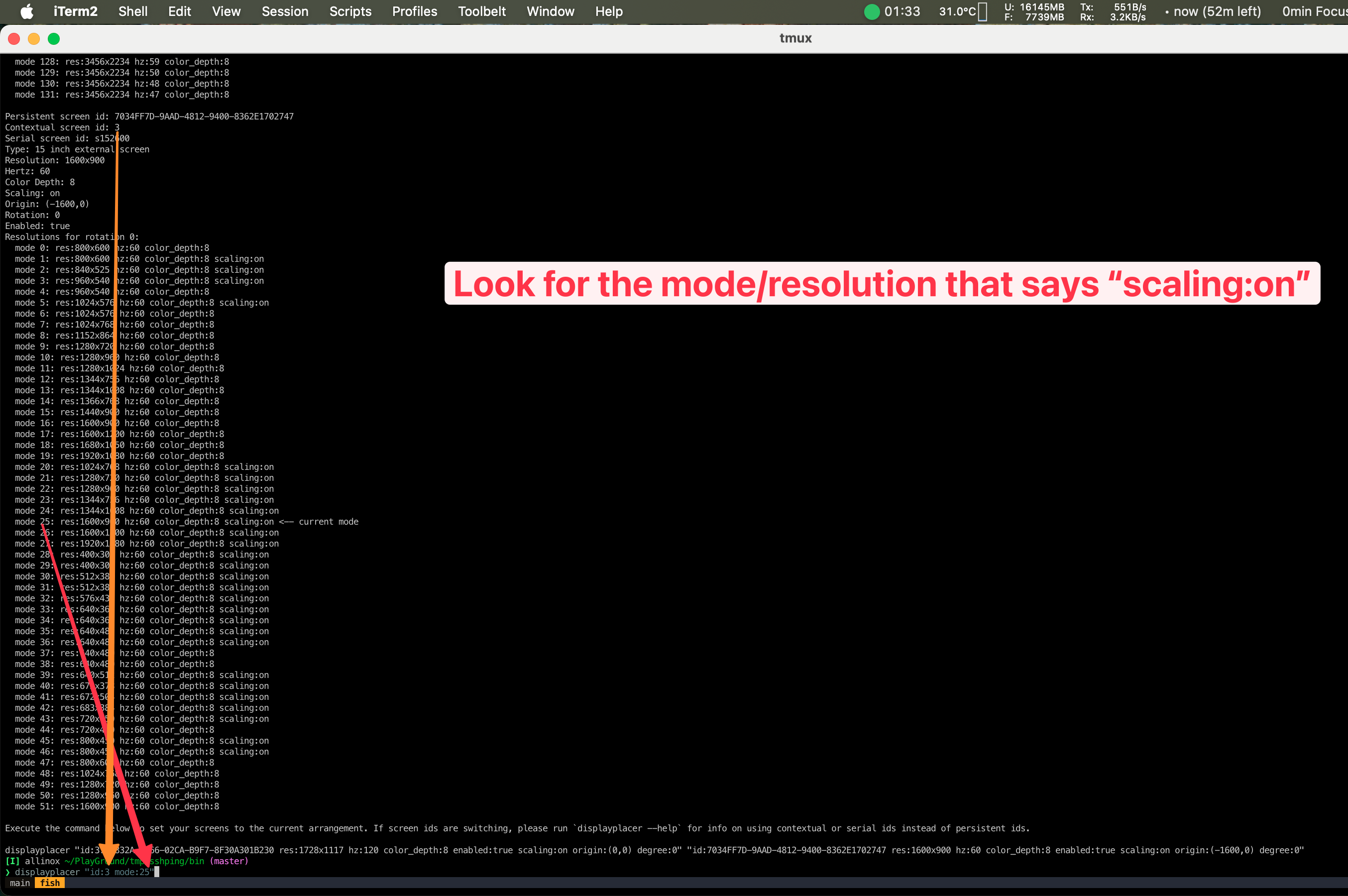
displayplacer listto list your displays and the available resolutions. - Then once you found the resolution mode you want to apply and the display ID, you can run such a command:
displayplacer "id:3 mode:25". You will need to replace3and25with your desired numbers (see screenshot 2)
 |  |
|---|
I hope this helps! Let me know if you run into any problems!